
Documentation Index Fetch the complete documentation index at: https://docs.humanbehavior.co/llms.txt
Use this file to discover all available pages before exploring further.
Using HumanBehaviorTracker with Angular
Quickstart
Human Behavior works seamlessly to record sessions on your Angular app.
Show How to get your API Key
How to find your Public API Key:
Flow: Project Home → Integrations → Human Behavior SDK → Kebab Menu → Configuration → Public API Key
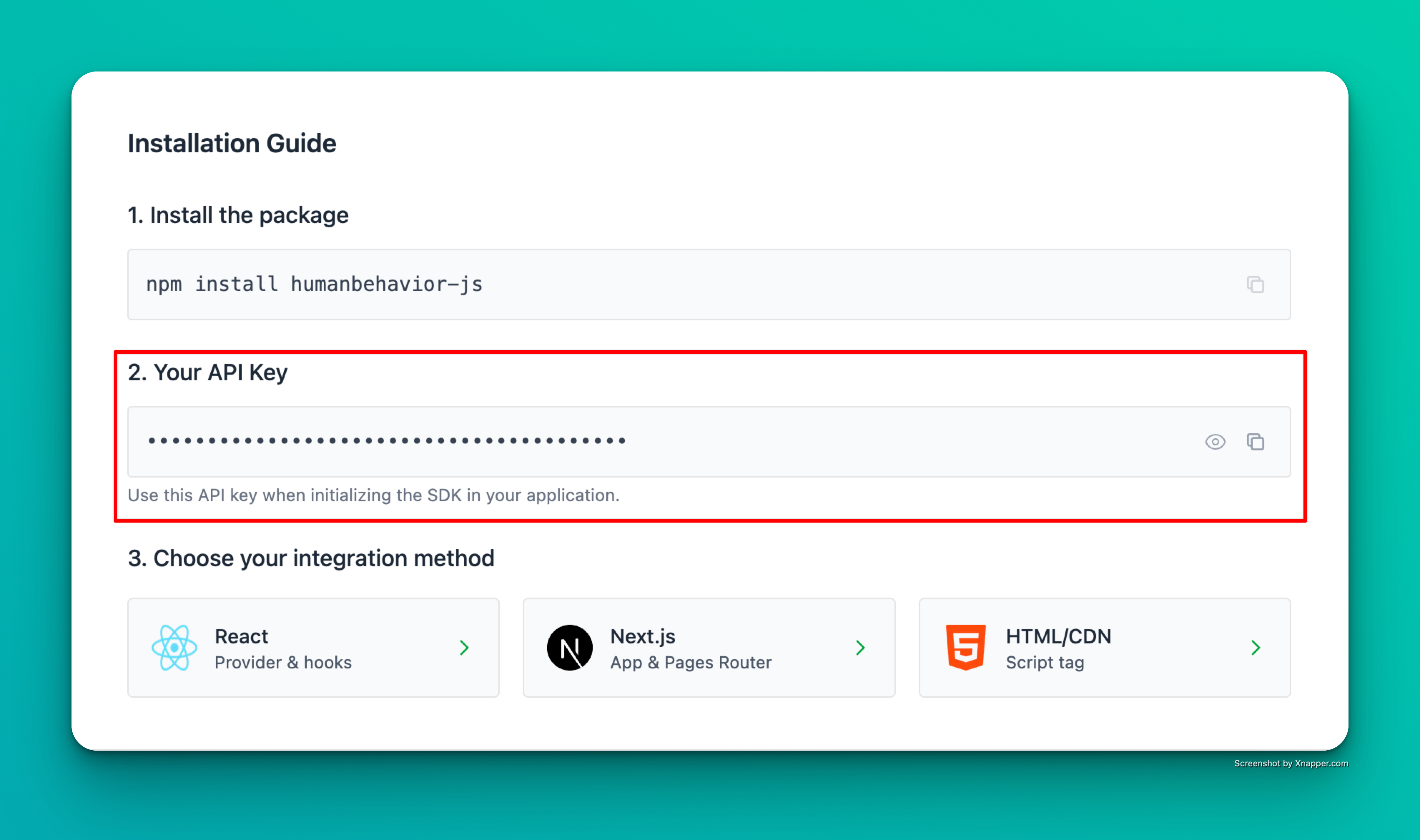
Example screenshot – your actual API key will be different.
Step 1: Installation
npm install humanbehavior-js
# or
yarn add humanbehavior-js
Step 2: Environment Variables
Create or update environment files:
Create src/environments/environment.ts:
export const environment = {
production: false ,
humanBehaviorApiKey: 'your-api-key-here'
};
Create src/environments/environment.prod.ts:
export const environment = {
production: true ,
humanBehaviorApiKey: 'your-api-key-here'
};
Angular Environment System: Angular CLI automatically replaces environment.ts with environment.prod.ts during production builds. This is the standard Angular way to handle environment variables.
Step 3: Initialize via a singleton service (recommended)
Create a service and initialize the SDK outside Angular’s zone, and only in the browser.
// src/app/services/hb.service.ts
import { Injectable , NgZone , Inject , PLATFORM_ID } from '@angular/core' ;
import { isPlatformBrowser } from '@angular/common' ;
import { HumanBehaviorTracker } from 'humanbehavior-js' ;
import { environment } from '../environments/environment' ;
@ Injectable ({ providedIn: 'root' })
export class HumanBehavior {
private tracker : ReturnType < typeof HumanBehaviorTracker . init > | null = null ;
constructor ( private ngZone : NgZone , @ Inject ( PLATFORM_ID ) private platformId : Object ) {
if ( isPlatformBrowser ( this . platformId )) {
this . ngZone . runOutsideAngular (() => {
this . tracker = HumanBehaviorTracker . init ( environment . humanBehaviorApiKey );
});
}
}
capture ( event : string , props ?: Record < string , any >) {
this . tracker ?. customEvent ( event , props );
}
identify ( user : Record < string , any >) {
this . tracker ?. identifyUser ({ userProperties: user });
}
trackPageView ( path ?: string ) {
this . tracker ?. trackPageView ( path );
}
}
Inject the service in your root standalone component so it initializes early:
// src/app/app.ts
import { Component } from '@angular/core' ;
import { RouterOutlet } from '@angular/router' ;
import { Navigation } from './navigation/navigation' ;
import { HumanBehavior } from './services/hb.service' ;
@ Component ({
selector: 'app-root' ,
imports: [ RouterOutlet , Navigation ],
templateUrl: './app.html' ,
styleUrl: './app.css'
})
export class App {
constructor ( private readonly humanBehavior : HumanBehavior ) {}
}
Optional: Router-based pageviews
// e.g., in app.ts
import { Router , NavigationEnd } from '@angular/router' ;
import { filter } from 'rxjs/operators' ;
constructor ( private hb : HBService , private router : Router ) {
this . router . events
. pipe ( filter (( e ) : e is NavigationEnd => e instanceof NavigationEnd ))
. subscribe (( evt ) => this . hb . trackPageView ( evt . urlAfterRedirects ));
}
No separate Angular package is required. Use the single humanbehavior-js package.
Features
✅ Angular 17+ standalone components support
✅ Works with earlier Angular versions via a service
✅ TypeScript support
✅ Automatic session recording (via SDK) and custom events
✅ SSR-safe guard with isPlatformBrowser and runOutsideAngular
Troubleshooting
Ensure HumanBehaviorTracker.init is called as init(apiKey, options?) where ingestionUrl is inside options if needed
If TypeScript complains about rrweb types, add:
@rrweb/types@2.0.0-alpha.17
rrweb-snapshot@2.0.0-alpha.17