Documentation Index
Fetch the complete documentation index at: https://docs.humanbehavior.co/llms.txt
Use this file to discover all available pages before exploring further.
React Hooks API
HumanBehavior SDK provides React hooks and context providers for seamless integration with React applications.
How to find your Public API Key:
Flow: Project Home → Integrations → Human Behavior SDK → Kebab Menu → Configuration → Public API Key
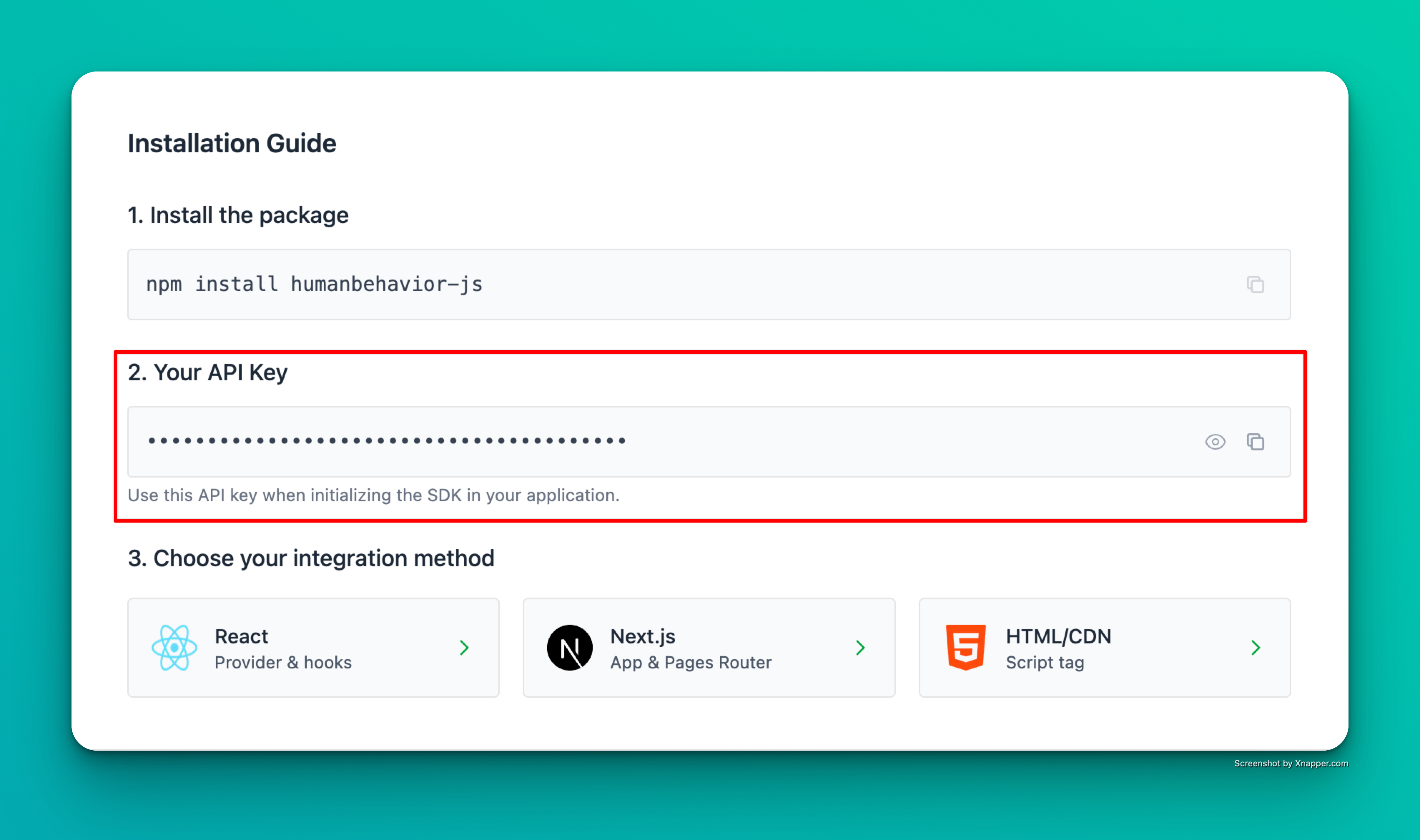
Example screenshot – your actual API key will be different.
HumanBehaviorProvider
The main provider component that wraps your React application.
Props
interface HumanBehaviorProviderProps {
  apiKey?: string;
  client?: HumanBehaviorTracker;
  children: ReactNode;
  options?: {
    ingestionUrl?: string;
    logLevel?: 'none' | 'error' | 'warn' | 'info' | 'debug';
    redactionStrategy?: {
      mode: 'privacy-first' | 'visibility-first';
      unredactFields?: string[];
    };
    enableConsoleTracking?: boolean;
    enableNetworkTracking?: boolean;
  };
}
apiKey (string, optional): Your HumanBehavior API keyclient (HumanBehaviorTracker, optional): Existing tracker instancechildren (ReactNode, required): React components to wrapoptions (object, optional): Configuration options
Example:
import { HumanBehaviorProvider } from 'humanbehavior-js/react';

function App() {
  return (
    <HumanBehaviorProvider apiKey={process.env.REACT_APP_HUMANBEHAVIOR_API_KEY}>
      <YourApp />
    </HumanBehaviorProvider>
  );
}
Usage Patterns
With API Key
<HumanBehaviorProvider apiKey={process.env.REACT_APP_HUMANBEHAVIOR_API_KEY}>
  <YourApp />
</HumanBehaviorProvider>
With Existing Client
import { HumanBehaviorTracker } from 'humanbehavior-js';

const tracker = HumanBehaviorTracker.init(process.env.REACT_APP_HUMANBEHAVIOR_API_KEY);

<HumanBehaviorProvider client={tracker}>
  <YourApp />
</HumanBehaviorProvider>
With Options
<HumanBehaviorProvider
  apiKey={process.env.REACT_APP_HUMANBEHAVIOR_API_KEY}
  options={{
    redactionStrategy: {
      mode: 'visibility-first' as const
    },
    enableConsoleTracking: true,  // Track console.warn/error (default: true)
    enableNetworkTracking: true   // Track network errors (default: true)
  }}
>
  <YourApp />
</HumanBehaviorProvider>
Learn more about automatic tracking features (rage clicks, network errors, console logs) in the Automatic Tracking guide. useHumanBehavior
Hook that provides access to the HumanBehavior tracker instance.
Returns
Returns the HumanBehaviorTracker instance with all available methods.
Example:
import { useHumanBehavior } from 'humanbehavior-js/react';

function MyComponent() {
  const tracker = useHumanBehavior();

  const handleClick = async () => {
    await tracker.customEvent('button_clicked', {
      buttonLocation: 'header'
    });
  };

  return <button onClick={handleClick}>Click Me</button>;
}
useUserTracking
Hook for managing user identification.
Returns
Returns an object with user tracking methods:
interface UserTrackingInterface {
  identifyUser: ({ userProperties }: { userProperties: Record<string, any> }) => Promise<{ success: boolean; error?: any }>;
}
import { useUserTracking } from 'humanbehavior-js/react';

function LoginForm() {
  const { identifyUser } = useUserTracking();

  const handleLogin = async (user) => {
    const result = await identifyUser({
      userProperties: {
        email: user.email,
        name: user.name,
        userId: user.id
      }
    });

    if (result.success) {
      console.log('User identified successfully');
    } else {
      console.error('Failed to identify user:', result.error);
    }
  };

  return <button onClick={() => handleLogin(user)}>Login</button>;
}
useRedaction
Hook for managing data redaction.
Returns
Returns an object with redaction methods:
interface RedactionInterface {
  setUnredactedFields: (fields: string[]) => void;
  clearUnredactedFields: () => void;
  hasUnredactedFields: () => boolean;
  getUnredactedFields: () => string[];
}
import { useRedaction } from 'humanbehavior-js/react';

function PrivacySettings() {
  const { setUnredactedFields, clearUnredactedFields, hasUnredactedFields, getUnredactedFields } = useRedaction();

  const handleUnredactFields = () => {
    setUnredactedFields([
      '#public-comment',
      '.non-sensitive-input'
    ]);
  };

  const handleClearUnredacted = () => {
    clearUnredactedFields();
  };

  return (
    <div>
      <p>Has unredacted fields: {hasUnredactedFields() ? 'Yes' : 'No'}</p>
      <p>Unredacted fields: {getUnredactedFields().join(', ')}</p>
      <button onClick={handleUnredactFields}>Unredact Fields</button>
      <button onClick={handleClearUnredacted}>Clear Unredacted Fields</button>
    </div>
  );
}
Error Handling
The hooks include built-in error handling and will throw descriptive errors if used incorrectly.
Common Errors
useHumanBehavior without Provider:
// ❌ This will throw an error
function MyComponent() {
  const tracker = useHumanBehavior(); // Error: useHumanBehavior must be used within a HumanBehaviorProvider
  return <div>My Component</div>;
}

// ✅ Wrap with provider
function App() {
  return (
    <HumanBehaviorProvider apiKey={process.env.REACT_APP_HUMANBEHAVIOR_API_KEY}>
      <MyComponent />
    </HumanBehaviorProvider>
  );
}
// ❌ This will show a warning
<HumanBehaviorProvider>
  <YourApp />
</HumanBehaviorProvider>

// ✅ Provide API key
<HumanBehaviorProvider apiKey={process.env.REACT_APP_HUMANBEHAVIOR_API_KEY}>
  <YourApp />
</HumanBehaviorProvider>
Server-Side Rendering (SSR)
The React integration is SSR-safe and handles server-side rendering gracefully:
import { HumanBehaviorProvider } from 'humanbehavior-js/react';

function App() {
  return (
    <HumanBehaviorProvider
      apiKey={process.env.REACT_APP_HUMANBEHAVIOR_API_KEY}
      options={{
        redactionStrategy: {
          mode: 'visibility-first' as const
        }
      }}
    >
      <YourApp />
    </HumanBehaviorProvider>
  );
}
- Memoized callbacks to prevent unnecessary re-renders
- Event queuing for early calls before initialization
- Automatic cleanup on component unmount
- SSR compatibility with proper hydration handling
TypeScript Support
Full TypeScript support is included:
import { useHumanBehavior, useUserTracking, useRedaction } from 'humanbehavior-js/react';

interface User {
  id: string;
  email: string;
  name: string;
}

function MyComponent() {
  const tracker = useHumanBehavior();
  const { identifyUser } = useUserTracking();
  const { setUnredactedFields } = useRedaction();

  const handleUserLogin = async (user: User) => {
    await identifyUser({
      userProperties: {
        email: user.email,
        name: user.name,
        userId: user.id
      }
    });
  };

  return <div>My Component</div>;
}